NFT Loader
The NFTLoader prefab allows you to load metadata of NFTs and display them in your scene.
It supports loading one NFT, multiple different NFTs, or all the NFTs a user owns in their wallet from a collection.
Each NFT’s metadata is loaded from the token’s uri property and displayed on the UI.
The prefab is located at: Assets/Thirdweb/Examples/Scripts/Prefabs/Prefab_NFTLoader.cs.
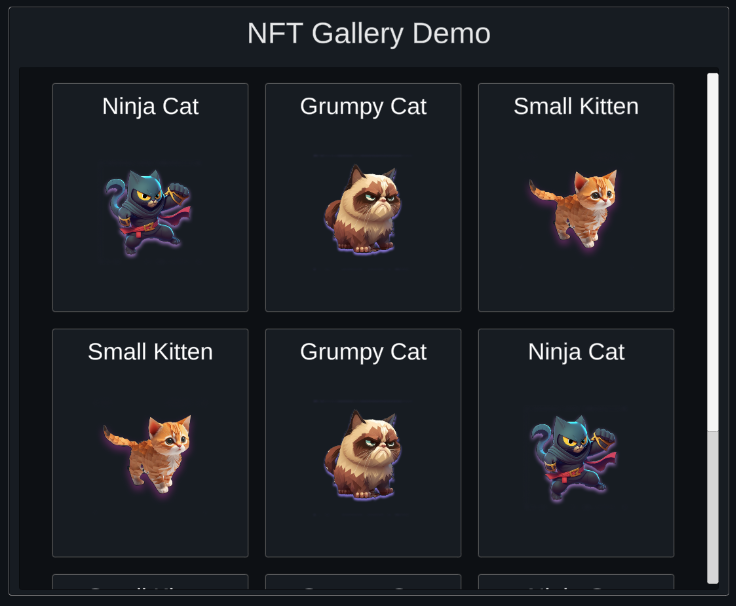
Configuration
From the Inspector window, configure what NFTs you want to display.
All NFTs loaded from the configuration will be displayed in the same gallery.
Load One NFT
Provide a list of SingleQuery structs each containing a contractAddress, tokenId, and type field.
Using the Get method, each NFT’s metadata is fetched individually and displayed on the UI.
Configuration
Load Multiple NFTs
Provide a list of MultiQuery structs each containing a contractAddress, startID, count, and type field.
Using the GetAll method, each NFT’s metadata is fetched in bulk and displayed on the UI.
Configuration
Load Owned NFTs
Provide a list of OwnedQuery structs each containing a contractAddress, owner, and type field.
Using the GetOwned method, each NFT’s metadata is fetched in bulk and displayed on the UI.